

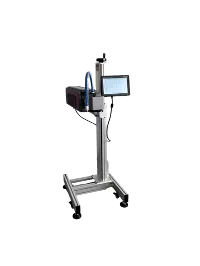
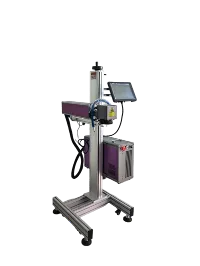
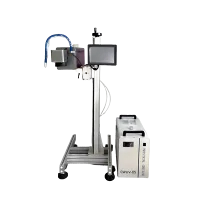
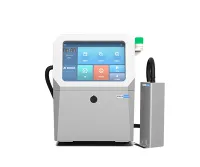
Thermal Inkjet Printer
Suzhou OMA Printing Technology Co., Ltd. was established in 2011. It is a supplier dedicated to industrial inkjet printers, UV inkjet printers, Laser marking machines, and anti-counterfeiting traceability systems. Since its establishment, the company has used advanced domestic and foreign technologies to engage in the R&D and production of inkjet printing and laser marking equipment, providing customers with high-quality product identification solutions.
Why Choose Us
Our Factory
Our factory is located in the beautiful city of Suzhou, covering an area of more than 5,000㎡, equipped with production workshops, maintenance workshops, sample testing workshops, reception centers, etc.
Production Market
From 2011 to date, the cumulative sales volume has exceeded 20,000 units machines, and the annual sales amount in 2023 exceeded 10,000,000 USD. UV inkjet printer sales lead in eastern China and have distributors in many countries.
Product Application
Widely used in hundreds of industries with a demand for marking, such as pipes, profiles, food, beverages, pharmaceuticals, cables, electronics, automobiles, etc
Excellent Team
Our engineer team has more than 30 people, responsible for R&D, production, testing and after-sales.

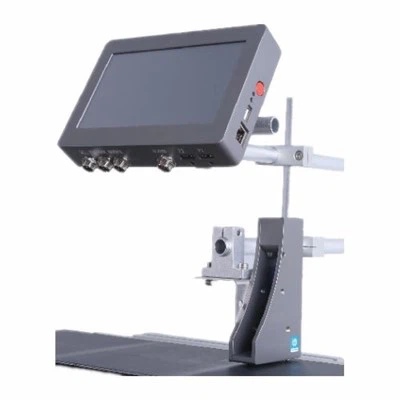
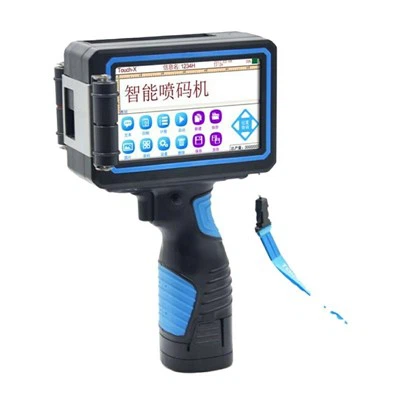

Advantages of Thermal Inkjet Printer
High-Quality Output
Thermal inkjet printers are known for their ability to produce exceptionally crisp and sharp codes. The precise control of ink droplet placement and the high resolution of these printers result in clear, legible, and professional-looking codes on various substrates. This characteristic is particularly crucial in industries like food packaging, where the accuracy and clarity of product information, expiration dates, and barcodes are of paramount importance for both manufacturers and consumers.
High-Speed Marking
When coupled with solvent-compatible fast-drying ink, thermal inkjet printers exhibit exceptionally fast printing capabilities. The combination of thermal inkjet technology and these inks allows for rapid drying of ink on various substrates. This speed is particularly advantageous in industries such as packaging and labelling, where immediate adhesion and resistance to smudging or fading are essential.
High Volume Coding
Thermal inkjet (TIJ) now comes with bulk ink systems that are particularly well-suited for high-volume printing. These systems offer substantial ink reservoirs that can handle the demands of continuous and large-scale printing operations, reducing the need for frequent cartridge replacements. This makes TIJ bulk ink an efficient choice for industries where uninterrupted production and reduced downtime are critical, providing both cost savings and enhanced operational productivity.
Cost-Effectiveness
Thermal inkjet printing proves cost-efficient for production lines due to its lower initial investment, minimal maintenance needs, and reduced material waste. These printers consume ink efficiently, operate at high speeds, and offer versatility, reducing costs related to equipment changes. Their energy efficiency and long-term reliability also contribute to overall savings, making thermal inkjet technology a smart choice for businesses looking to optimize production while controlling operational expenses
Application of Thermal Inkjet Printer
AEC Plans, Renderings, and CAD Drawings
In architecture, engineering and construction (AEC), every detail matters, no matter how small. The finished image is used to build important structures. They must meet exact specifications. Any deviation from the design can cause major issues. The precision of thermal inkjet printing is ideal for helping eliminate this.
Photos, Flyers, and Documents
A printer that can deliver top quality is needed for photos, flyers and other documents requiring detailed and crisp images. When the image quality is the focus, as with photographs, the quality will be integral to success.
Thermal inkjet printers not only produce greater image quality, but they can also be used on the types of glossy surfaces that photos and flyers are typically printed on.


Packaging, Barcodes, and Signage
When it comes to packaging, especially for food, precision printing can be vital. The information on food packaging serves many crucial purposes.
Important information, like the lot number and barcode, provides ways for the products to be tracked and give companies a way to recall the right batches in case of an issue. Food and pharmaceutical packaging also have some very specific requirements that thermal printing can meet.
Textiles
Printing on textile fabrics with a thermal inkjet printer allows for a faster turnaround time than with screen printing. It also saves a lot of money. It's possible to see cost savings of 50% to 90%. Not only is this method faster and cheaper, but it's also better for the environment, which is a growing concern among consumers.
Components of Thermal Inkjet Printer
A thermal inkjet printer printhead is the core component that puts ink to substrates. It has a string of nozzles that spray ink droplets onto a substrate to produce clear images, texts, or barcodes. The resolution and quality of the prints depend on the sizes and number of the nozzles. The printhead is separated from the ink cartridges. It's either replaceable or attached to the printer.
A thermal inkjet printer uses ink cartridges as the reservoirs for the printhead. They have many combinations depending on the model of the printer from a manufacturer, such as a cartridge separating black and other colors, placing black and different colors in one cartridge, and each color in each cartridge. Ink cartridges are replaceable.
The stepper motor functions to move the printhead and ink cartridges. With a back-and-forth movement, it guides the printhead to create precise prints. Some thermal inkjet printers use another stepper motor to place and rest the printhead while it's not functioning.
The belt functions to securely attach the printhead to the stepper motor.
The stabilizer bar ensures the movement of the printhead is accurate and controlled.
Thermal Inkjet Printer Installation Requirements
Placement
Choosing a better location can avoid many unnecessary troubles.
A. Place the printer on a level and stable surface.
B. Place the printer in a place where it is easy to connect to a computer or network interface cable, and where it can be cut off easily.
C. Leave enough space for operation and maintenance; leave a large enough space in front of the printer to facilitate paper output.
D. Avoid using and placing the printer in places where the temperature and humidity change suddenly. The printer should be kept away from direct sunlight, strong light sources and heating devices.
E. Avoid placing the printer in places subject to vibration.
Cable connection
A. Make sure that the computer and printer are turned off, and cut off the power supply.
B. Connect the computer or network interface cable according to the "Printer Manual" that comes with the machine.
C. Check the voltage value on the label on the back of the printer to confirm that the voltage required by the printer matches the voltage of the socket you inserted the plug into.
D. After confirming that the above three steps are correct, connect the power supply.